




















Instagram Notícias

Como colocar legenda no Reels

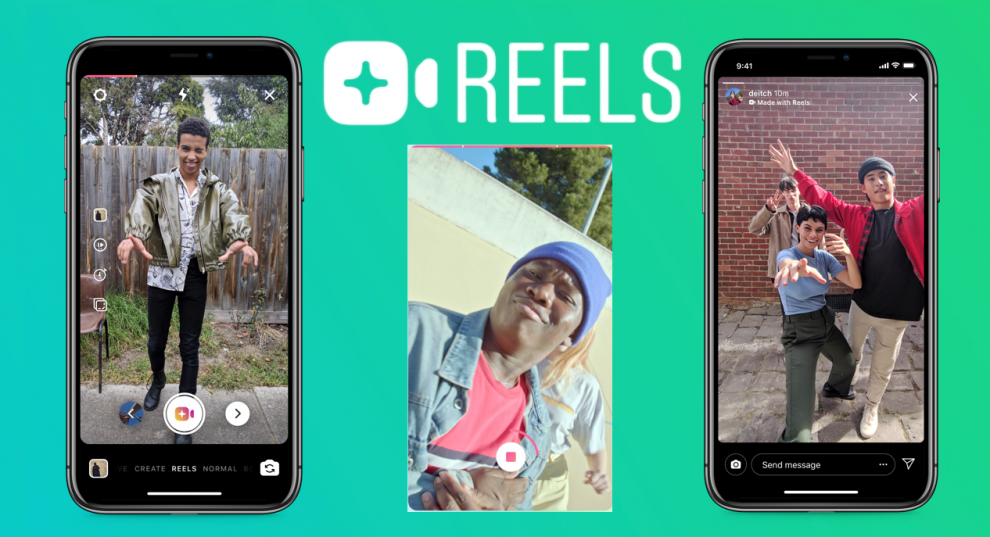
Colocar legenda no Reels é um dos recursos disponíveis na seção do Instagram que é rival direta do TikTok. A função é importante não apenas para usuários que precisam de alguma acessibilidade, mas também pode ser útil em momentos para assistir vídeos sem som.

A seguir, veja como colocar legenda no Reels usando o aplicativo CapCut ou o site Veed Studio. Se preferir, você ainda tem a opção de colocar texto no Reels manualmente, uma vez que o recurso nativo de legendas no Reels do Instagram ainda não foi liberado para todo mundo.

Colocar legenda no Reels no CapCut

Conhecido anteriormente como Viamaker, o CapCut é uma das soluções mais populares quando o assunto é colocar legenda no Reels. Além de contar com funções básicas de edição, como filtros e ferramentas de recorte, a plataforma mantém a qualidade original do vídeo. Assim, quando você for publicar no Instagram, ele continuará em alta definição.

Para colocar legenda no Reels usando o CapCut, siga os passos:

  1. Baixe o CapCut para Android ou iPhone (iOS);
  2. Na tela inicial, toque em “Novo projeto”. Se for o primeiro acesso, libere as permissões de uso do aplicativo;
  3. Selecione um vídeo da sua galeria para colocar legenda. Toque em “Adicionar”;
  4. No menu inferior, toque em “Texto”;
  5. Selecione “Legendas automáticas” e depois “Adicionar legendas”;
  6. Marque a opção “Som original” e defina o idioma para “Português”;
  7. Toque em “Continuar” e aguarde o app fazer o reconhecimento das falas. Se precisar fazer ajustes manuais na legenda, toque no trecho do texto;
  8. Toque no botão de “Exportar”, no topo direito da tela, e depois vá em “Salvar vídeo”.
CapCut é aplicativo para colocar legenda no Reels do Instagram (Captura de tela: Caio Carvalho)

Pronto. O vídeo criado no CapCut será salvo na galeria do seu celular. Agora é só abrir o Instagram e postar o Reels legendado.

Como colocar legenda no Reels no PC

Veed Studio é um site web gratuito para a edição de vídeos para redes sociais, incluindo o Instagram. O serviço tem um recurso que transcreve o texto automaticamente, evitando o trabalho manual que você teria para colocar legenda no Reels. Também é possível mudar o estilo da legenda, podendo alterar o tamanho, cor e fonte do texto.

O Veed Studio não tem limite para adicionar legendas aos vídeos. Entretanto, a versão gratuita exibe uma marca d’água no canto do vídeo. Para removê-la, é necessário assinar um dos planos de assinatura da plataforma. Vale lembrar ainda que o site não tem versão em português, apenas em inglês.

Para colocar legenda no Reels usando o Veed Studio, siga o tutorial:

  1. Acesse “veed.io” (sem aspas) no navegador do PC;
  2. Na tela inicial, vá em “Upload Your Video”;
  3. Clique em “Upload a File” e selecione um arquivo de vídeo salvo no seu computador;
  4. Aguarde o vídeo carregar e, no menu à esquerda, vá em “Subtitles”;
  5. Clique na opção “Auto Subtitle”, para que o site gere legendas automaticamente;
  6. No campo “Select language to detect”, escolha “Português (Brasil) e depois em “Start”;
  7. As legendas serão adicionadas. Se precisar fazer alguma alteração manual no texto, use o menu da esquerda e/ou a barra de progresso na parte inferior;
  8. Para salvar o vídeo, clique em “Export”, no canto superior direito;
  9. Clique em “Export Video” e por último em “’Download MP4”.
Site Veed Studio permite colocar legenda em vídeos para usar no Reels do Instagram (Captura de tela: Caio Carvalho)

E pronto. Apesar de adicionar uma marca d’água no canto do vídeo, o Veed Studio facilita o processo para colocar legenda no Reels. Com o vídeo salvo no computador, faça o upload para sua conta no Instagram.


Calendar

agosto 2026
S T Q Q S S D
 12
3456789
10111213141516
17181920212223
24252627282930
31  

Pages

Recent Comments

    RSS Meks Blog

    • How Adding Slack Bot Boosted Our Culture of Appreciation 3 de julho de 2024
      Sweet Kudos is a Slack bot that enhances employee recognition, rewards, and celebrations within your team. It empowers team members to express gratitude and appreciation effortlessly by giving virtual Kudos. The post How Adding Slack Bot Boosted Our Culture of Appreciation appeared first on Meks.
      Dusan Milovanovic
    • 10 Best Knowledge Base & Wiki WordPress Themes 2021 15 de setembro de 2021
      Running a successful online business requires an exceptional WordPress knowledge base theme that organizes documentation and helps customers. Customization options, intuitive navigation, unique layouts, and fast responsiveness are just some of the features you need. The following 10 WordPress wiki themes represent the best options for 2021 and beyond. Explore the full range to determine […]
      Dusan Milovanovic
    • How to increase WordPress Memory Limit (quick fixes) 16 de junho de 2021
      Here is a post about how to increase the memory limit in WordPress. Allowed memory size exhausted error message showed up in your WordPress installation? No worries – this is one of the most common errors in WordPress. You can apply an easy fix by increasing the memory limit in your PHP. Table of Contents […]
      Dusan Milovanovic
    • How to use (and why) WordPress sitemap plugin 1 de março de 2021
      Did you know that by knowing how to use the WordPress sitemap plugin you can significantly improve your site’s visibility and traffic? Although it isn’t mandatory to have a sitemap on your site, having one significantly improves the site’s quality, crawlability and indexing. All this is important for better optimization, which is why we wanted […]
      Ivana Cirkovic
    • 22 free and premium podcast software for your show [2021 edition] 18 de janeiro de 2021
      You’re determined to start or improve your podcast but don’t know which podcast software to use to really make it stand out? We’ve got you! #podcasting Top 22 free and premium podcast software for your show #WordPressTips #podcasting The post 22 free and premium podcast software for your show [2021 edition] appeared first on Meks.
      Ivana Cirkovic
    • Digital storytelling with WordPress – an all-in-one guide to make your web stories pop! 23 de novembro de 2020
      Wondering how to improve digital storytelling with WordPress and build more awareness and exposure of your business? Let our guide lead the way. The post Digital storytelling with WordPress – an all-in-one guide to make your web stories pop! appeared first on Meks.
      Ivana Cirkovic
    • How to use WordPress autoposting plugin to improve your visibility and SEO? 10 de setembro de 2020
      Did you know you can use the WordPress autoposting plugin for your content efforts and improve not only your time management but your business and visibility as well? The post How to use WordPress autoposting plugin to improve your visibility and SEO? appeared first on Meks.
      Ivana Cirkovic
    • How to create a personal branding site? Step-by-step DIY guide 15 de agosto de 2020
      Looking for ways and means to create a personal branding site? Well, look no further ’cause we’re giving away all the how-to’s to do it yourselves! The post How to create a personal branding site? Step-by-step DIY guide appeared first on Meks.
      Ivana Cirkovic
    • Top 15 WordPress content plugins and tools to improve your visibility and rankings 16 de julho de 2020
      Let’s take a look at some of the must-have WordPress content plugins and tools to use to improve both your UX and rankings. The post Top 15 WordPress content plugins and tools to improve your visibility and rankings appeared first on Meks.
      Ivana Cirkovic
    • WCEU 2020 recap – key takeaways from the biggest online WordPress conference 9 de junho de 2020
      Missed WCEU 2020 and all the exciting stuff from there? Here are all the key takeaways and main points to remember so, take notes! The post WCEU 2020 recap – key takeaways from the biggest online WordPress conference appeared first on Meks.
      Ivana Cirkovic

    Text

    Distinctively utilize long-term high-impact total linkage whereas high-payoff experiences. Appropriately communicate 24/365.